
How to View and Use Your FÜM Store CreditUpdated 3 months ago
If you have FÜM store credit available, you can view your balance in your account and apply it toward a future purchase at checkout.
How To View Your Store Credit Balance
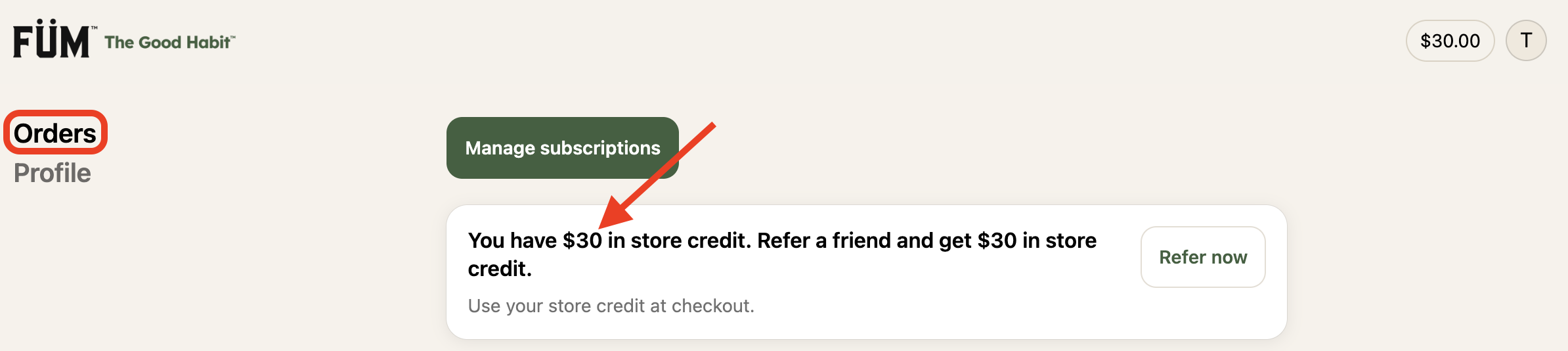
Log in to your FÜM account. For steps on logging in, click here.
Go to the Orders section of your account and your available store credit balance will be displayed there.
How To Use Your Store Credit
When you're ready to place an order:
Add the items you'd like to purchase to your cart.
Proceed to checkout.
Your available store credit will appear as an option to apply toward your order.
Select the store credit option to apply your available balance to the purchase.
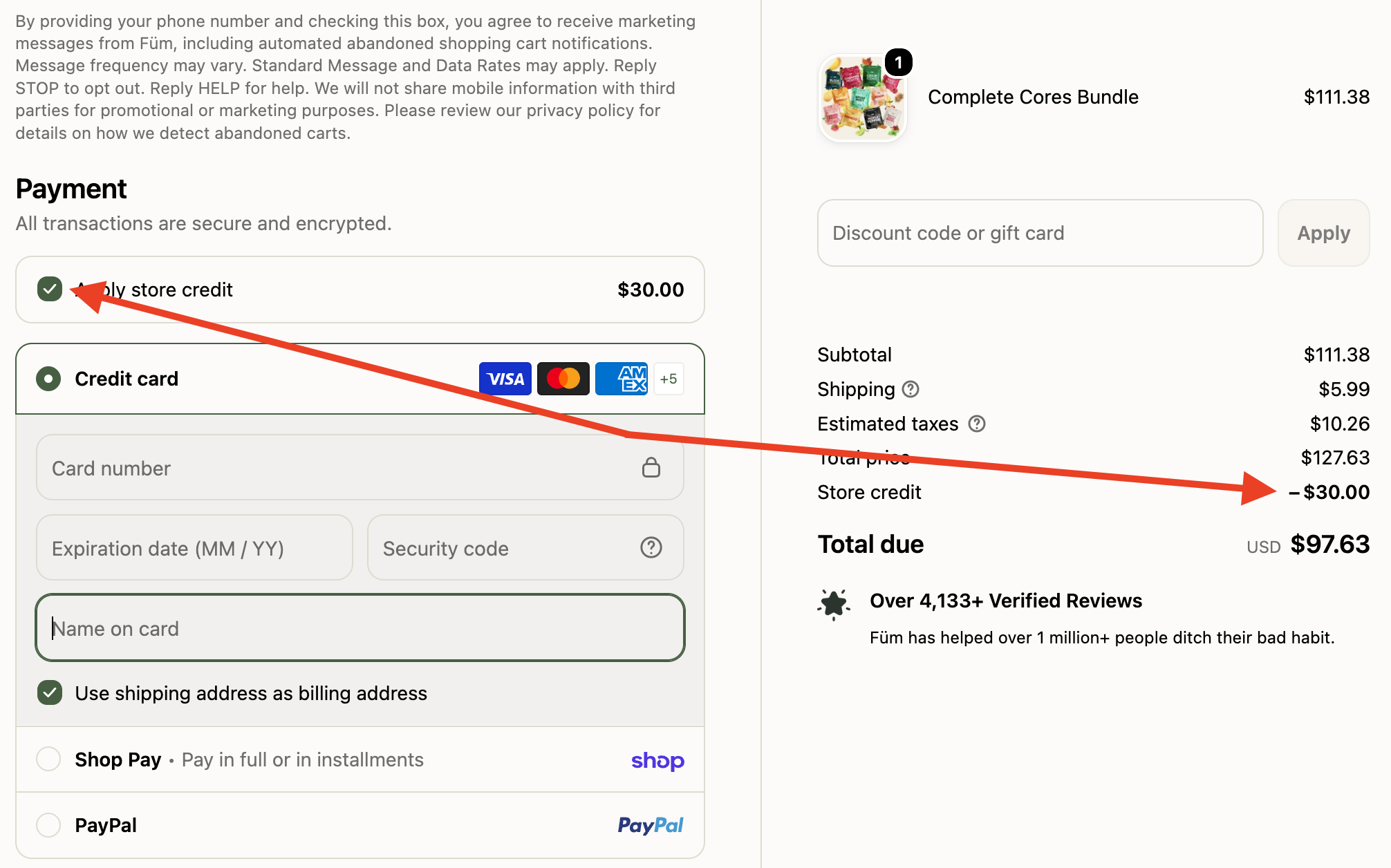
Your store credit can be used toward future FÜM purchases. If your order total is more than your available store credit, you can pay the remaining balance using another available payment method.
Not finding the answers you’re looking for? Feel free to reach out to our support team at [email protected].
Search terms/tags: store credit, account credit, credit balance, store credit balance, view store credit, check store credit, use store credit, apply store credit, redeem store credit, account balance, FÜM credit, FÜM store credit, checkout credit, credit at checkout, how to use store credit, how to view store credit