
How to Update Your FÜM Account Shipping Address (Not Applicable for Subscriptions)Updated a month ago
Please note: Changes made to your address in your general FÜM account do not sync with your subscription dashboard. To update the shipping address for your subscription, please make the change directly in your subscription dashboard by following the steps outlined here.
If you need assistance with changing the address on a recently placed order, please reach out to [email protected] as soon as possible with the order number and address details. Our team will do their best to assist you. For more information on this, click here.
General account shipping address update steps
- Login to your account here.
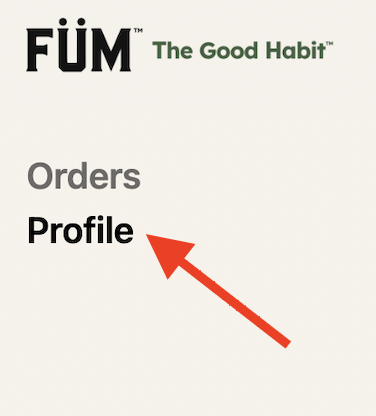
- Click on "Profile" in the upper right hand corner.
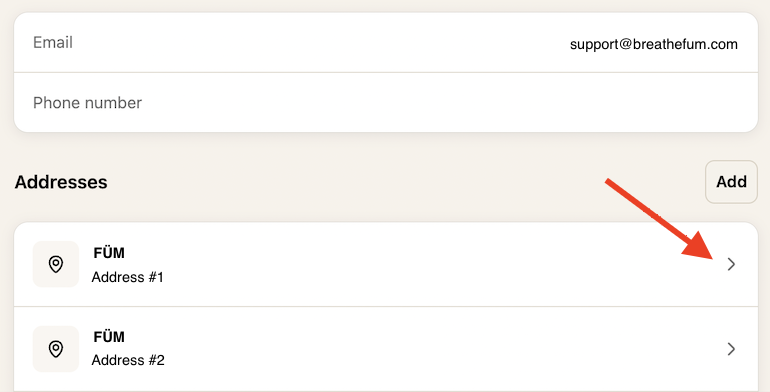
- Select the address you'd like to edit, update the address details, and click "Save".
Not finding the answers you’re looking for? Feel free to reach out to our support team at [email protected].
Search terms/tags: update address, change address, edit address, update shipping address, change shipping address, edit shipping address, account address, shipping address, shipping information, shipping info, address on file, delivery address, billing address, change my address, update my address, edit my address, incorrect address, wrong address, new address, moved, moving, relocate, manage address, address book, saved address, shipping details, how do I change my address, how do I update my shipping address, how do I edit my address, where do I change my address, where can I update my shipping address, I moved, I have a new address, my address is wrong, how do I change my delivery address, how can I update my address on my account