
How Can I Update the Shipping Address On My General Account?Updated a month ago
Follow the numbered steps below for updating your address on you general FÜM account.
Please note that this does not apply to:
• Updating the address on your subscription dashboard
If you would like to update the address on your subscription dashboard, you can follow the steps outlined here.
• Updating the address on an order.
If you would like to update an address on a recently placed order, please reach out to [email protected] as soon as possible with the order number and address details. Our team will do their best to assist you. For more information on this, click here.
General account shipping address update steps
- Login to your account here.
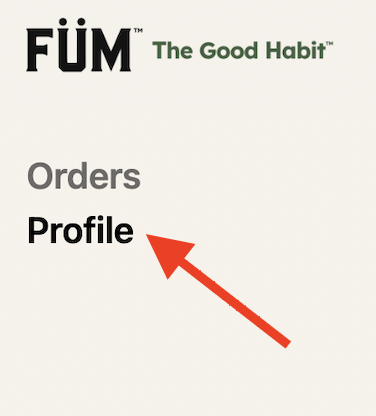
- Click on "Profile" in the upper right hand corner.
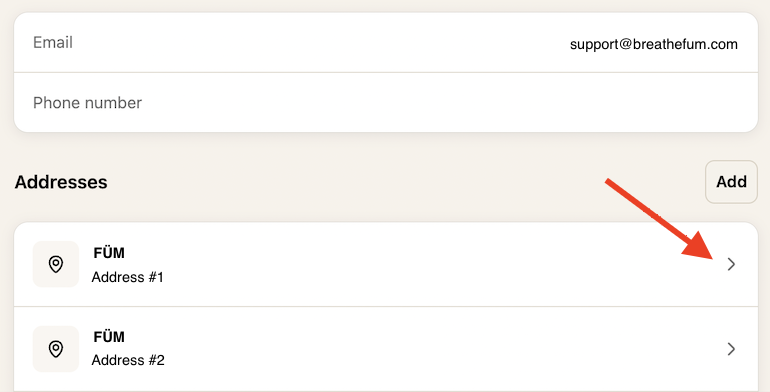
- Select the address you'd like to edit, update the address details, and click "Save".
Not finding the answers you’re looking for? Feel free to reach out to our support team at [email protected].
Search terms/tags: update address, change address, edit address, update shipping address, change shipping address, edit shipping address, account address, shipping address, shipping information, shipping info, address on file, delivery address, billing address, change my address, update my address, edit my address, incorrect address, wrong address, new address, moved, moving, relocate, manage address, address book, saved address, shipping details, how do I change my address, how do I update my shipping address, how do I edit my address, where do I change my address, where can I update my shipping address, I moved, I have a new address, my address is wrong, how do I change my delivery address, how can I update my address on my account