
How Can I Change the Core Flavors in My Subscription?Updated 23 days ago
If you encounter an error while trying to change your Cores and are unable to edit your subscription flavors, please refer this support article.
Changing Flavors in Your Subscription
- Log in to your subscription dashboard.
→ Click here to request a login link to your subscription dashboard.
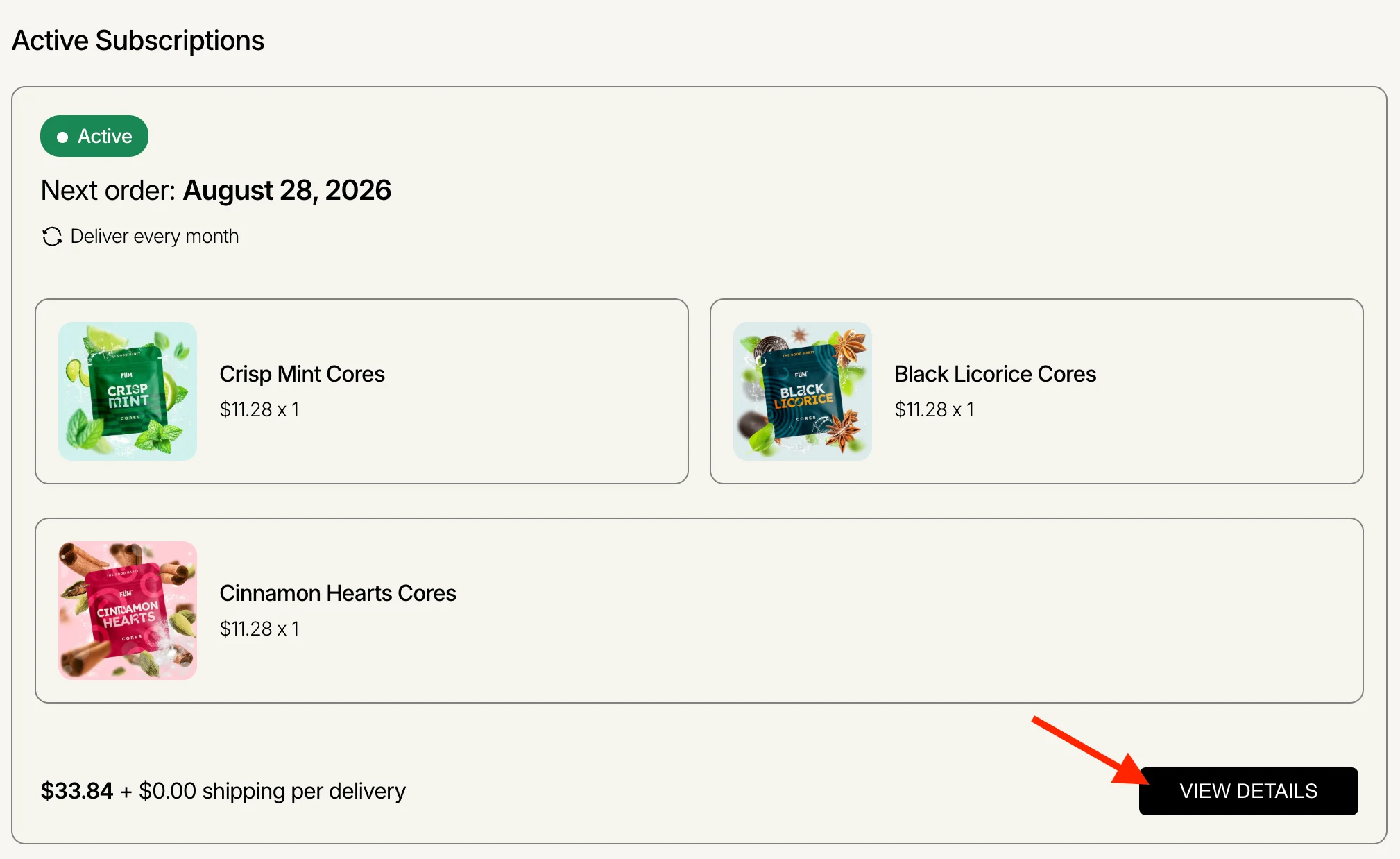
If you are not seeing any subscriptions when you log in but are receiving recurring shipments, your account is likely set up under an alternate email address. You must log in with the email address you used when placing your first order to see your subscriptions. - From your subscription dashboard, click "View Details" on the subscription you’d like to make changes to.
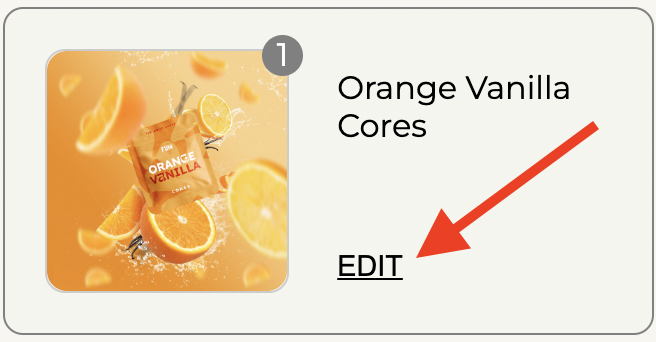
- Click "Edit" for the Core you would like to increase the quantity of/swap out/remove.
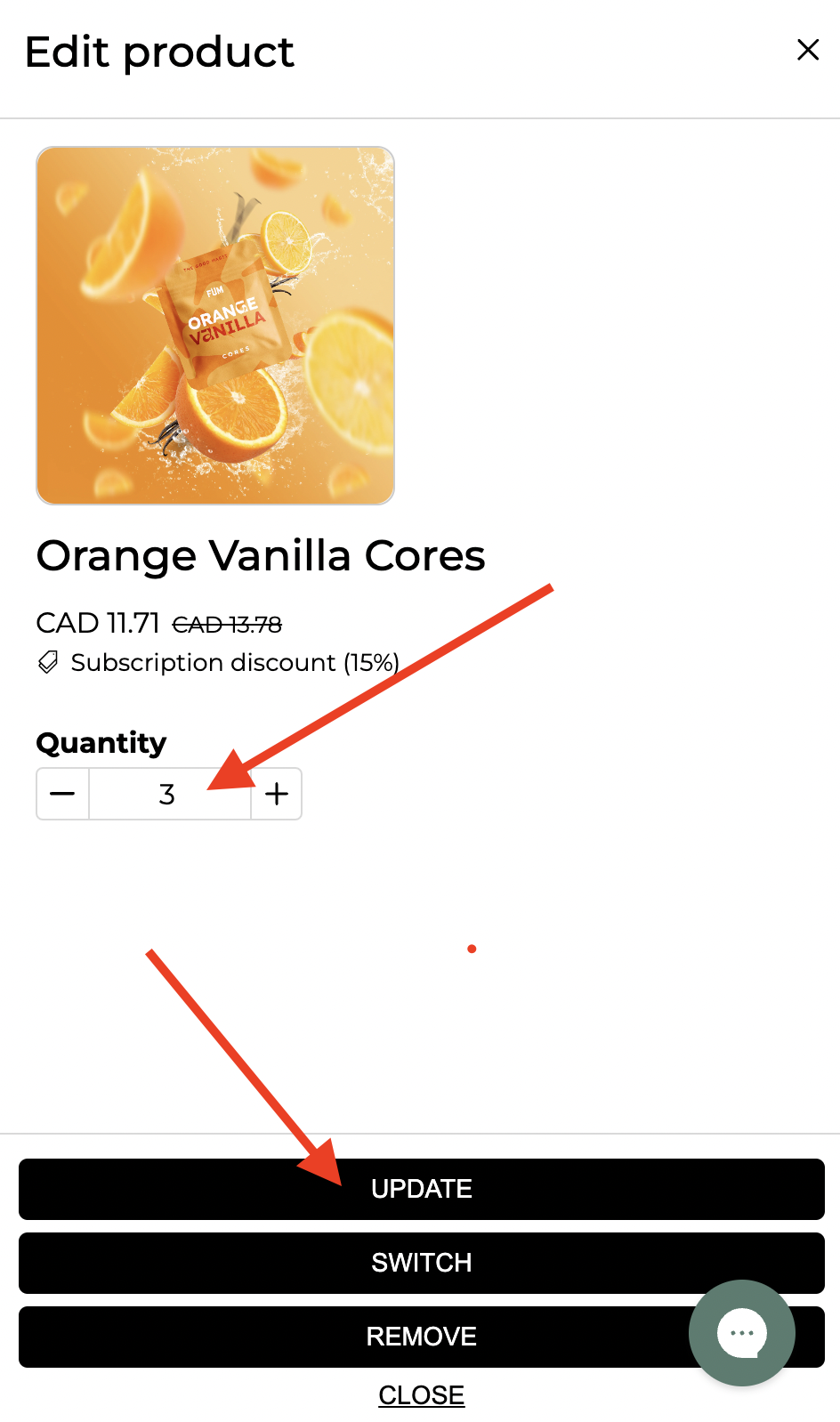
To Change Quantities
Adjust the amount of Cores you would like in your upcoming shipment, and click "Update".
Please note that a subscription's minimum value must be $20 USD or the equivalent.
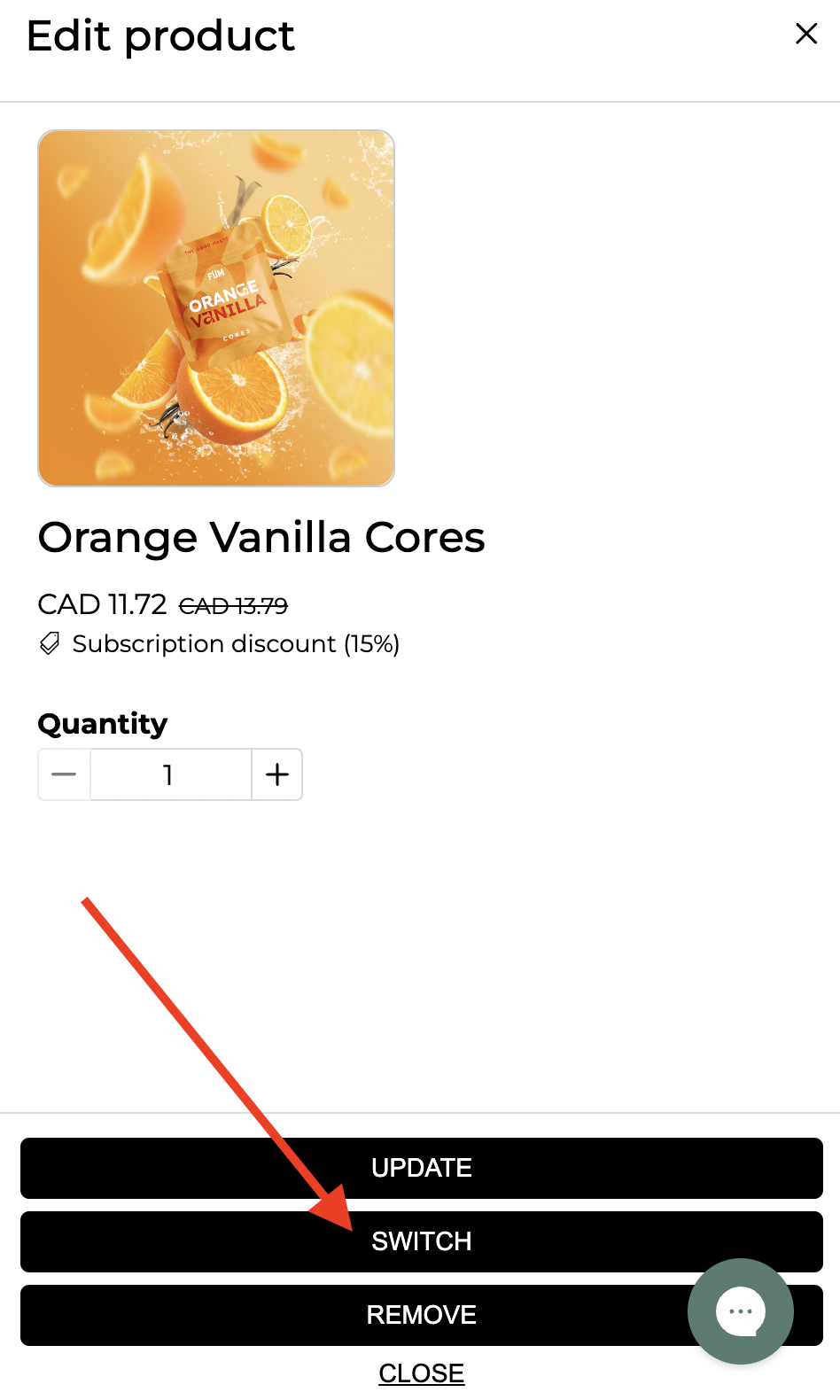
To Swap Flavors
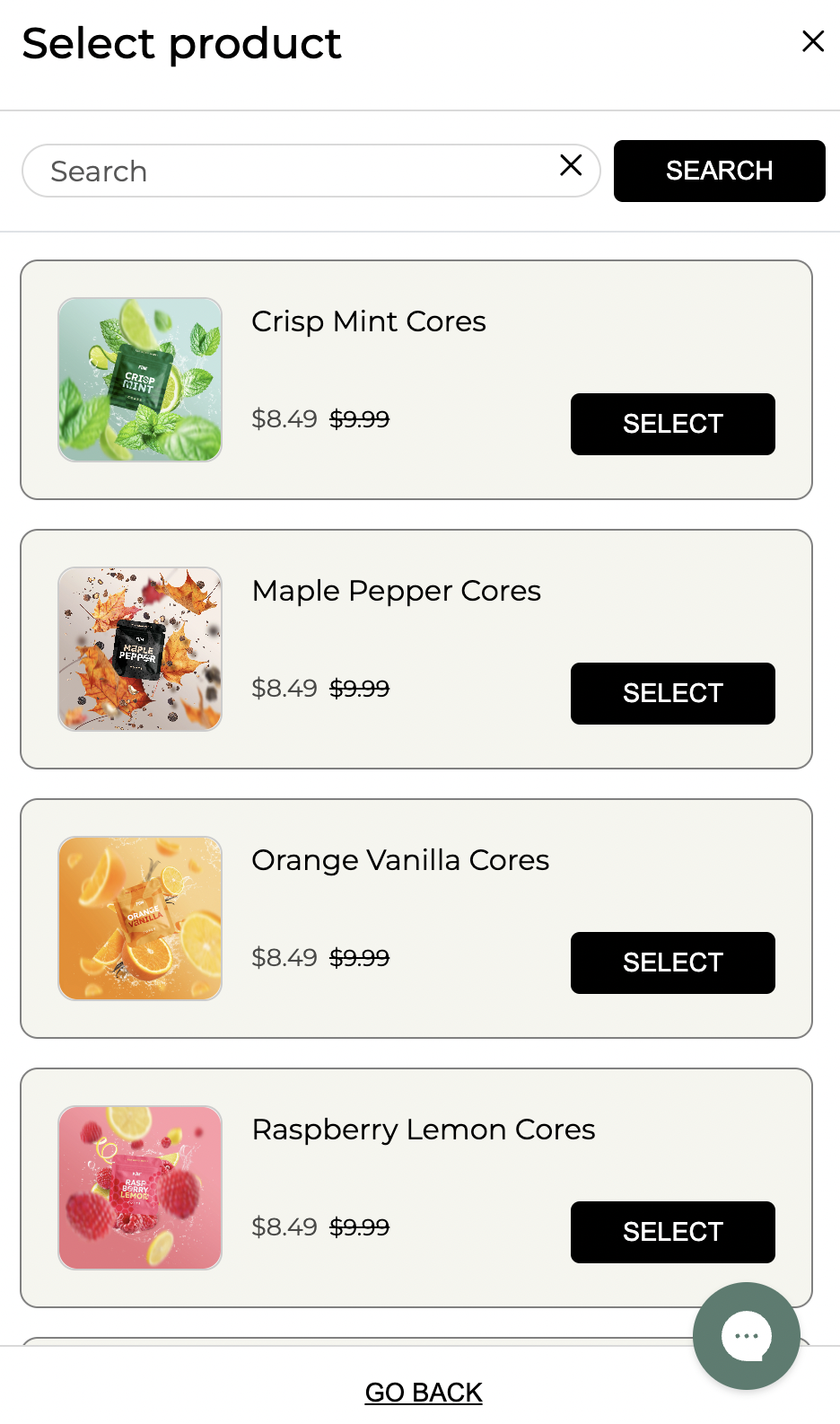
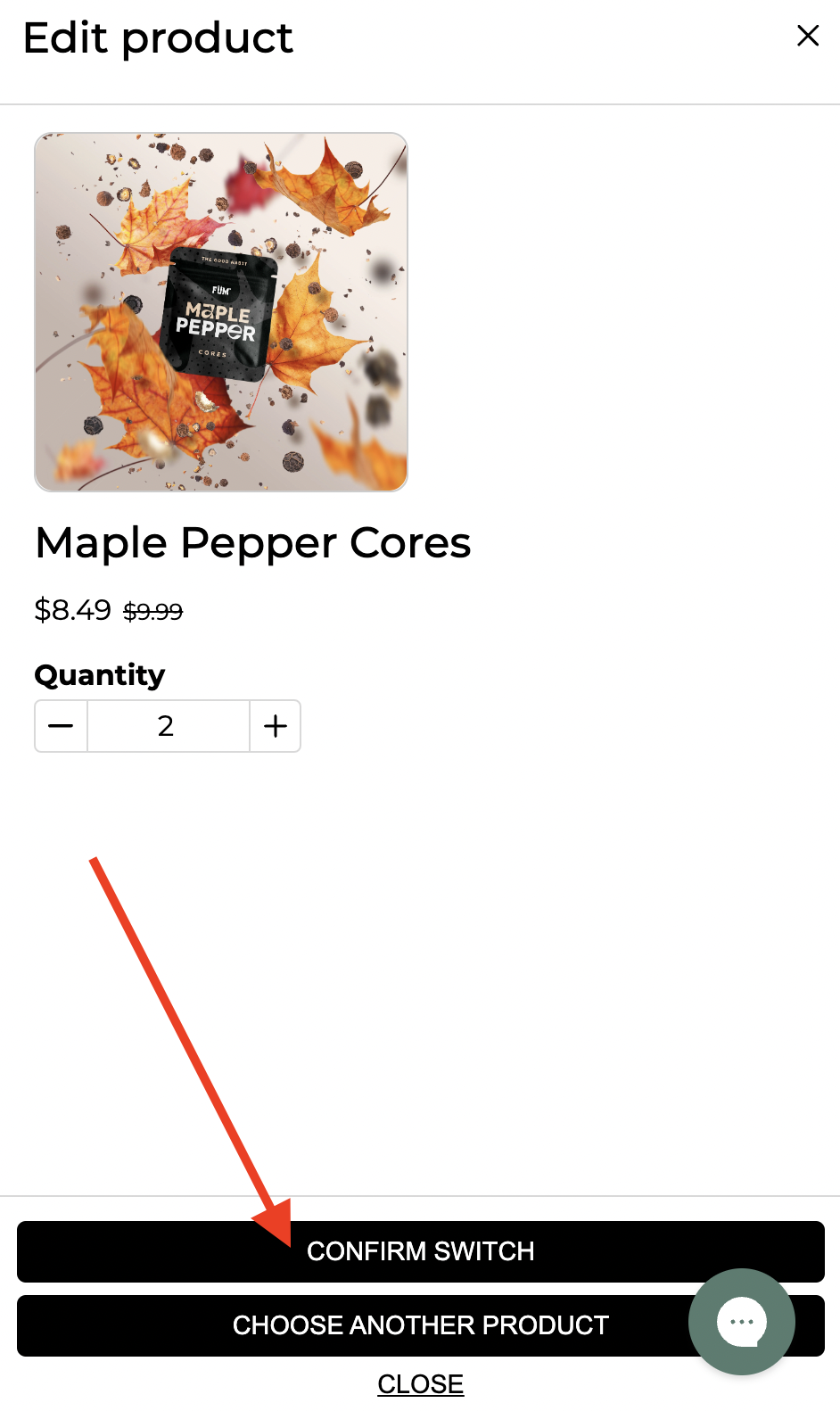
Click "Switch", select the Core flavor and quantity you would like to switch it out for, and then "Confirm Switch".
Please note that a subscription's minimum value must be $20 USD or the equivalent.
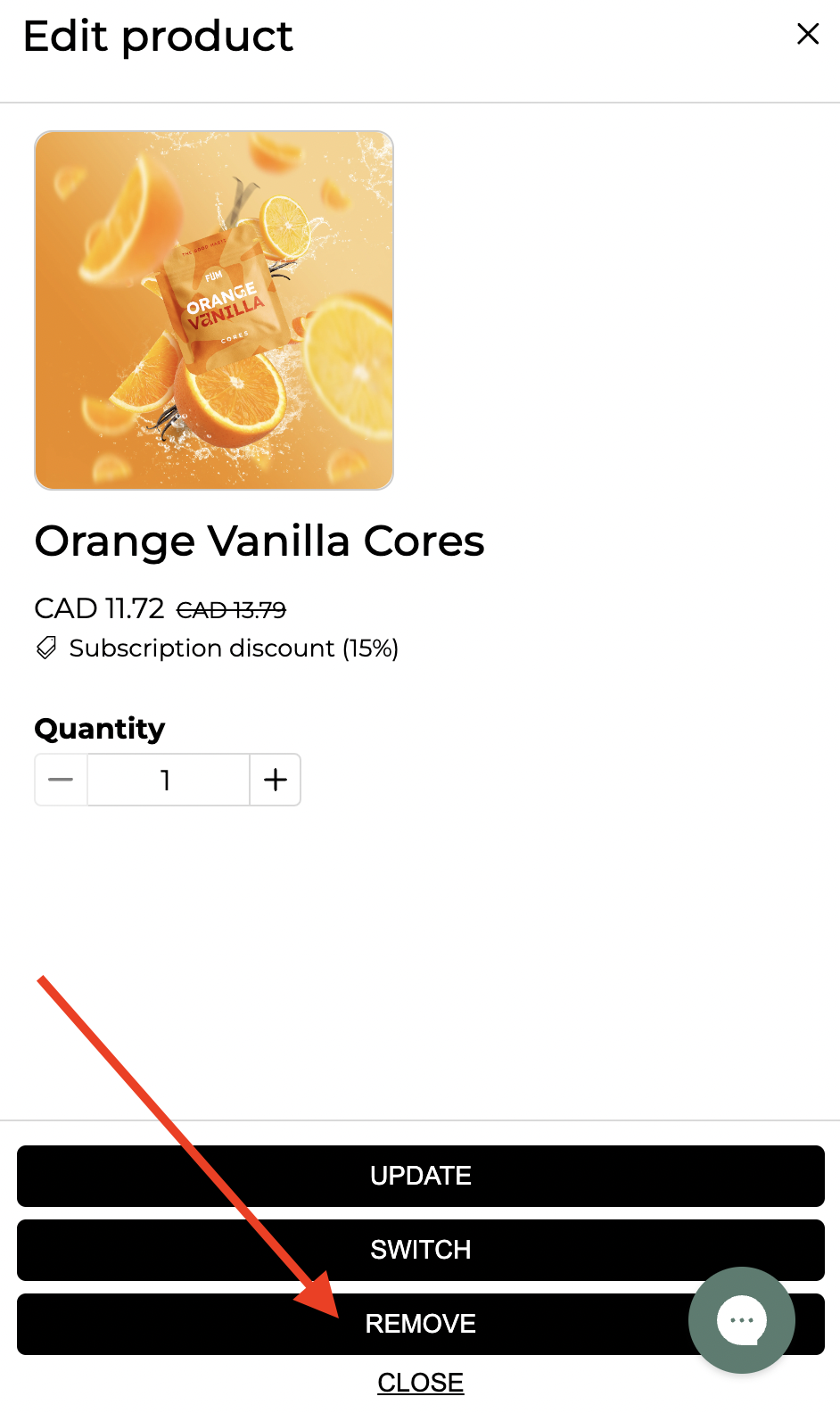
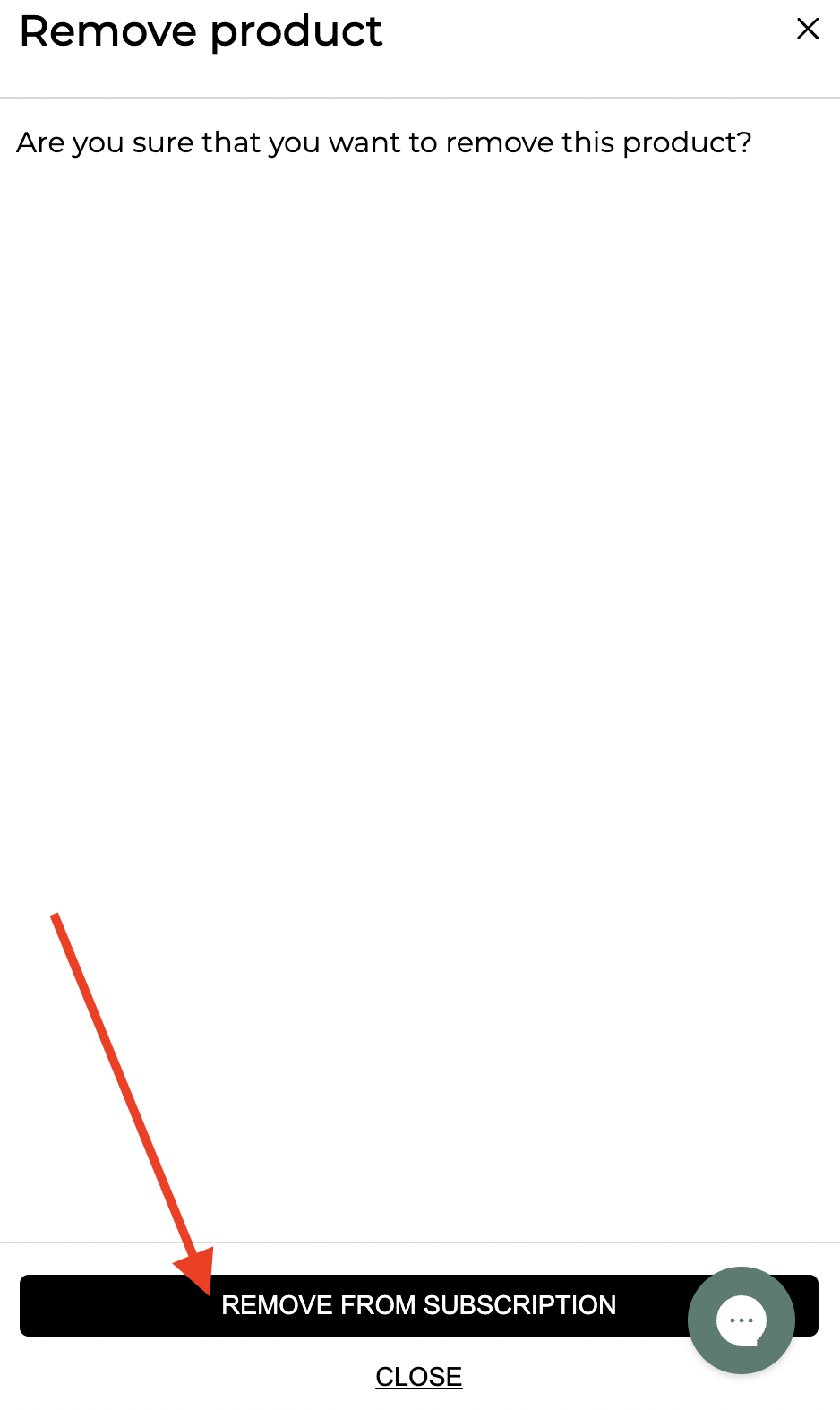
To Remove a Flavor
Click “Remove” and then select “Remove from Subscription.”
Please note that a subscription's minimum value must be $20 USD or the equivalent.
If you're having trouble making changes to your subscription, don't hesitate to contact our support team at [email protected] for help. For security reasons, please ensure you reach out using the email address associated with your subscription.
Search terms/tags: change cores, cores club edit, change amount of cores, swap core flavors, change core flavors.