
How Can I Pause or Resume My Subscription?Updated a month ago
- Log in to your subscription dashboard.
→ Click here to request a login link to your subscription dashboard.
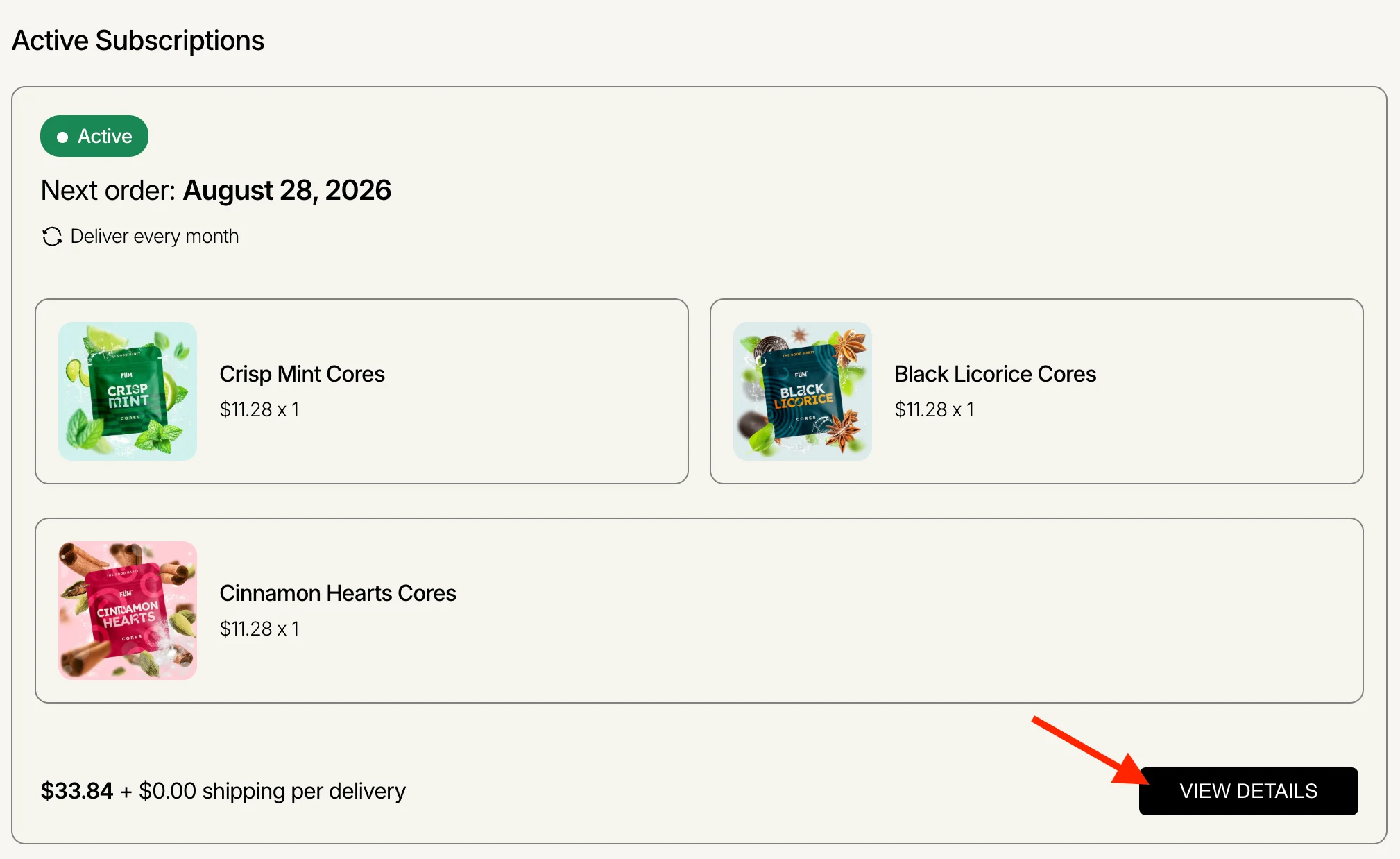
If you are not seeing any subscriptions when you log in but are receiving recurring shipments, your account is likely set up under an alternate email address. You must log in with the email address you used when placing your first order to see your subscriptions. - From your subscription dashboard, click "View Details" on the subscription you’d like to make changes to.
To Pause
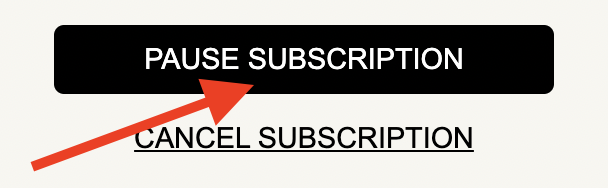
- Scroll down to the bottom of the subscription page and click "Pause Subscription".
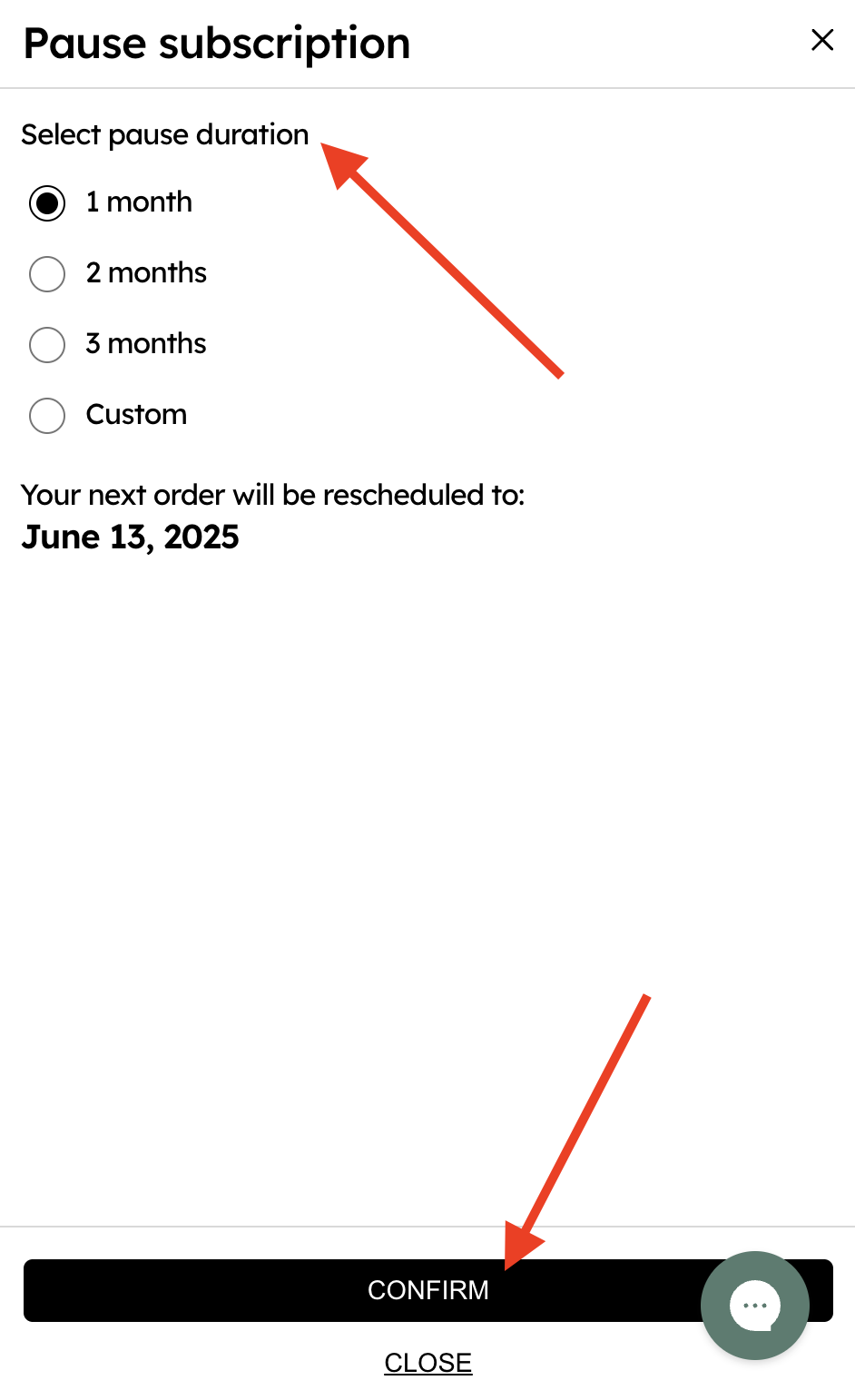
- Choose how long you would like to pause the subscription for (you can select a custom date if desired) and click "Confirm".
To Resume
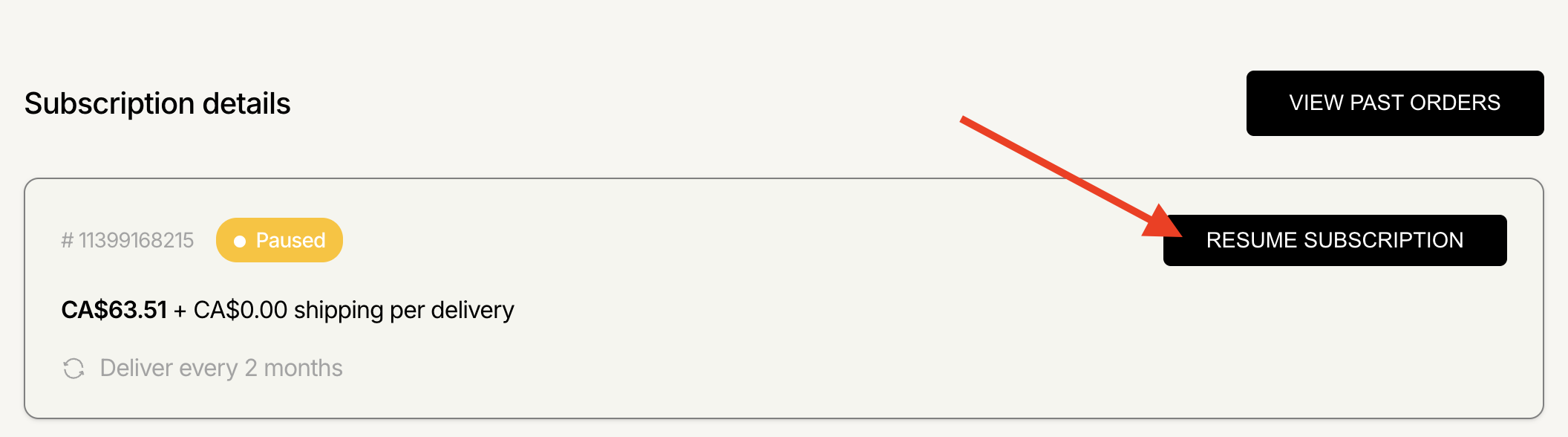
- Scroll down to "Subscription details" and click "Resume Subscription". Follow the prompts to resume.
If you're having trouble making changes to your subscription, don't hesitate to contact our support team at [email protected] for help. For security reasons, please ensure you reach out using the email address associated with your subscription.
Search terms/tags: Pause subscription, Resume subscription, Unpause subscription, Restart subscription, Reactivate subscription, Manage subscription, Subscription management, Cores Club, Pause Cores Club, Resume Cores Club, Subscription settings, Subscription schedule, Subscription status, Pause my subscription, Resume my subscription, Restart my subscription, Reactivate my subscription, Membership, Subscription